If you want to change or create new Default Frequencies for an Assembly, you can do so in the following ways:
1. Manually select a Form Frequency and also select the Default checkbox for the Frequency to make it a Default Frequency (Figure 1).
Note: The Default Frequency is created when the form is deployed.
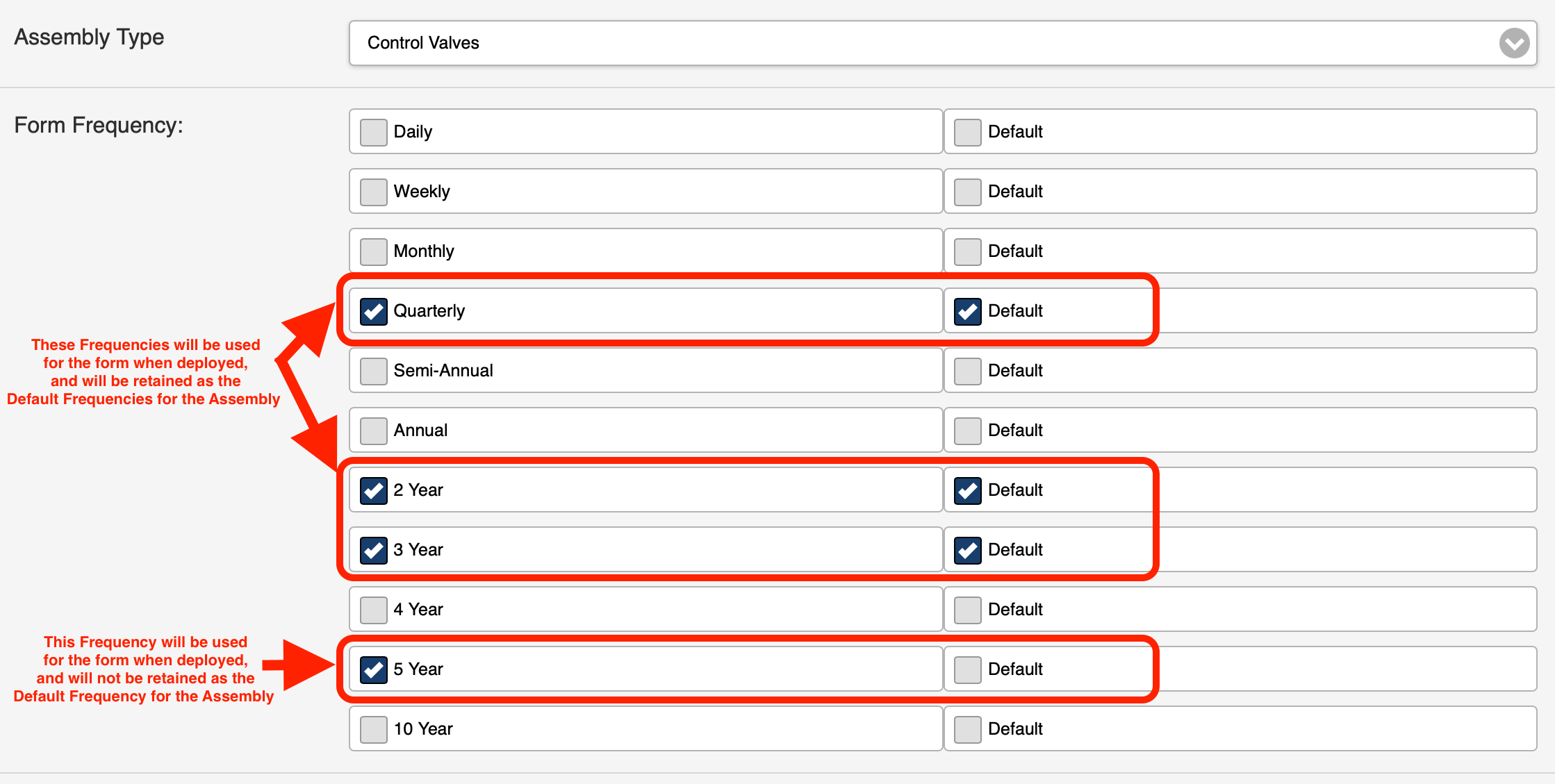 Figure 12. Deploy a form to more than one Account and include an Account with established Default Frequencies.
For Example, If you select both Accounts (Figure 2) and then deploy the form, the TVWD Test Account will then include the Default Frequencies from the Fire & Life Safety Inc. Account the next time the form is accessed.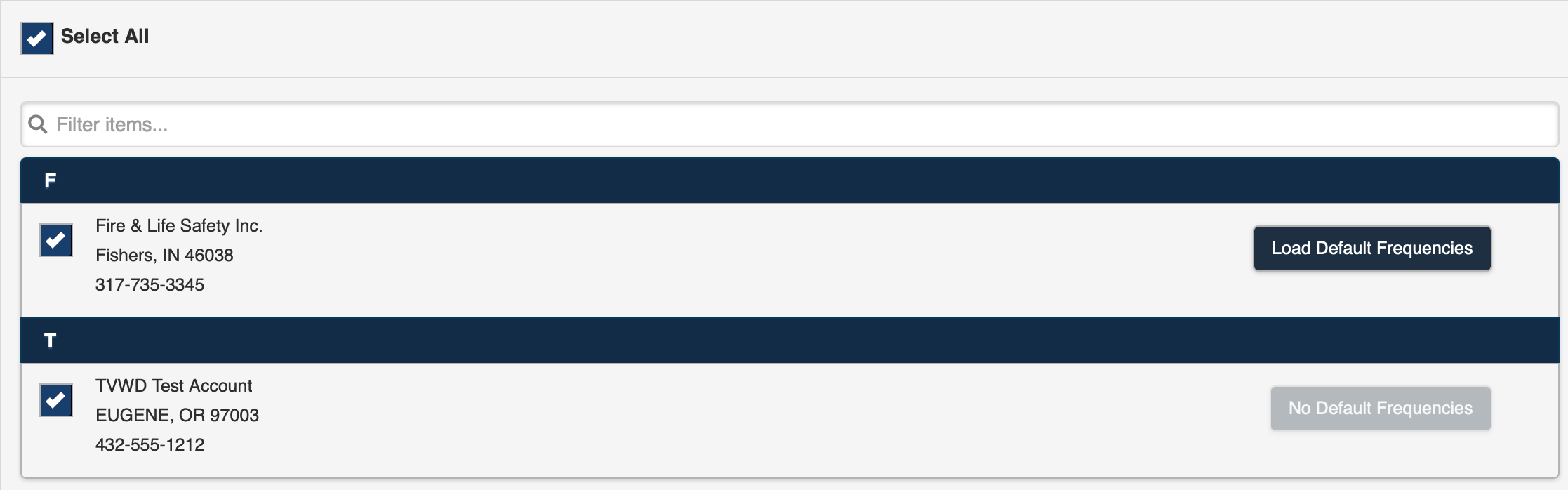 Figure 2
Figure 2